3 Models Walk Into an NPU: FastSAM, YOLOv8n & NanoDet Pushing the Axon

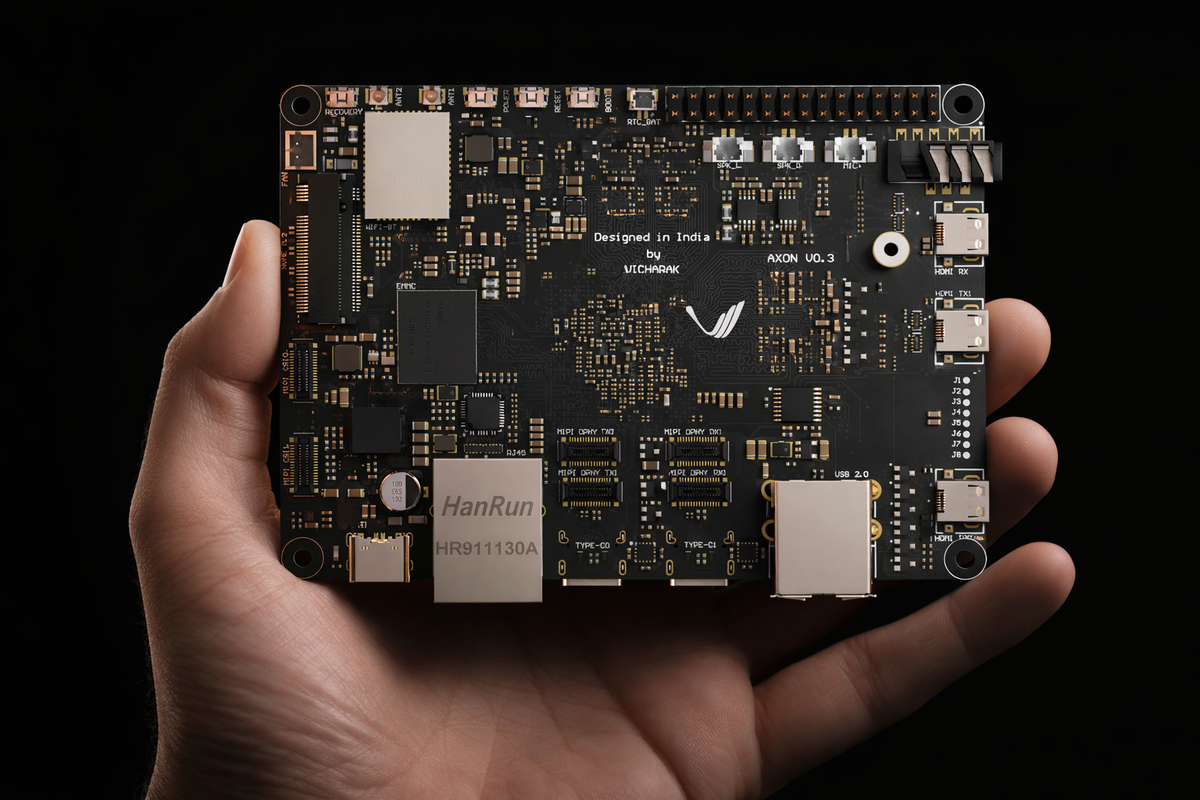
In our previous YOLO blog post, we walked through the entire journey of getting YOLOv8 and YOLO11 object detection running on the Vicharak Axon; from ONNX export, to post-processing node removal, to RKNN conversion, to finally running inference on the NPU. If you haven't read that one yet, go do that first. This post builds directly on top of it.
This time, we wanted to push the Axon harder. One model on the NPU is nice. But the RK3588 has three NPU cores totaling 6 TOPS, and leaving two of them idle felt wasteful. So we asked ourselves: what if we ran three completely different vision models: object detection, lightweight detection, and instance segmentation - all at the same time, on the same board, from the same camera stream?
That's exactly what we did. YOLOv8n, NanoDet-Plus, and FastSAM, running simultaneously across all three NPU cores. Nine model instances total. One input stream. Three live output windows.
Here's how we got there.
The Models
We picked three models that each bring something different to the table:
| Model | What It Does | Input Size | Format |
|---|---|---|---|
| YOLOv8n | General object detection (80 COCO classes) | 640×640 | INT8 RKNN |
| NanoDet-Plus-m-1.5x | Lightweight object detection (80 COCO classes) | 416×416 | INT8 RKNN |
| FastSAM-s | Instance segmentation (Segment Anything, fast) | 640×640 | INT8 RKNN |
YOLOv8n needs no introduction at this point. It's the same model we converted in the previous blog, now running on all three NPU cores instead of one.
NanoDet-Plus is a surprisingly capable lightweight detector from RangiLyu. Smaller input, fewer parameters, and faster inference while still delivering strong detection quality. It uses an anchor-free design with a Generalized Focal Loss head, and its 416×416 input means less preprocessing overhead.
FastSAM-s is where things get interesting. It's a lightweight variant of Segment Anything Model, the model that took the vision community by storm. Instead of SAM's enormous ViT encoder, FastSAM uses a YOLOv8-seg backbone to produce instance segmentation masks in a fraction of the time. On a GPU, it's fast. On an edge NPU? That took some convincing.
All three pre-converted INT8 RKNN models are provided in the repository and ready to use. If you just want to run inference without going through the conversion, skip ahead to the "Running Inference" sections.
Benchmarks
We tested with a 1280×720 @ 30fps input stream, utilizing all 3 NPU cores for each model:
| Model | Output FPS | Inference Time |
|---|---|---|
| YOLOv8n | ~30 fps | ~19 ms |
| NanoDet-Plus | ~30 fps | ~14.4 ms |
| FastSAM-s | ~14 fps | ~114 ms |
YOLOv8n and NanoDet-Plus both saturate the 30fps input, meaning the NPU is actually faster than the camera. FastSAM is the heavy one, which makes sense: instance segmentation masks are significantly more compute-intensive than bounding boxes. Even so, 14 fps for real-time segmentation on an edge device is nothing to scoff at.
These numbers come from steady-state measurements (we skip the first 10 seconds of warmup to avoid JIT compilation noise polluting the stats).
A Note on Camera Input
For testing, we fed the Axon live video over the network. Two setups that worked well:
-
IP Webcam (Android): We used the IP Webcam app on a smartphone, which turns the phone into an MJPEG/RTSP stream source. Point the
--inputargument at the stream URL and you've got a wireless camera for your Axon. -
Laptop webcam via MJPG-streamer: If you'd rather use your laptop's built-in webcam, run mjpg-streamer on the laptop and stream over the local network. Same idea - the Axon pulls frames via HTTP.
Both work as long as the Axon and the camera device are on the same network. These are easy, zero-cost ways to give your Axon "eyes" without needing a CSI or USB camera plugged directly into the board.
Quick Start
All the code, models, and scripts are in the Axon-NPU-Guide repository:
git clone https://github.com/vicharak-in/Axon-NPU-Guide.git
cd Axon-NPU-Guide/examples/fastsam_nanodet_yolov8n
The three pre-converted INT8 RKNN models are included in the models/ directory. If you just want to run inference on the Axon without going through the conversion process, you can skip straight to the inference scripts. We'll start by running each model independently across the three NPU cores, then combine them into a single pipeline that runs all three models concurrently.
For environment setup on the Axon board, follow the setup guide or use the automated setup script.
YOLOv8n on 3 NPU Cores
We already covered the full YOLOv8n conversion pipeline — ONNX export, post-processing removal, RKNN conversion — in detail in the previous blog post. If you need to convert your own model from scratch, we recommend starting here.
Two things are new here. First: the entire pipeline operates on live video streams, no static images, no pre-recorded clips. Every script in this repo takes a real-time stream URL as input, whether that's an IP webcam, an RTSP source, or a laptop feeding frames over the network. Second: multicore inference. Instead of loading the model on one NPU core and calling it a day, our yolo_multicore.py script loads the same YOLOv8n model on all three cores and distributes frames across them. A single capture thread feeds a drop-oldest queue, three core workers pull from it in parallel, and a postprocess worker assembles the final output.
The drop-oldest queue is key for real-time video. If the NPU falls behind (it won't, for YOLOv8n at 30fps but hypothetically), older frames are silently discarded instead of piling up and introducing latency. You always see recent frames, never stale ones.
Converting Your Own Model
Step 1: Export ONNX and remove postprocess nodes: follow the YOLOv8/11 conversion guide.
Step 2: Convert ONNX → RKNN:
# FP16
python3 fastsam/convert_onnx_to_rknn.py \
    -i <path/to/yolov8n.onnx> \
    -o <path/to/yolov8n.rknn>

# INT8 (recommended)
python3 fastsam/convert_onnx_to_rknn.py \
    -i <path/to/yolov8n.onnx> \
    -o <path/to/yolov8n_i8.rknn> \
    --quantize \
    --dataset <path/to/dataset.txt>
Step 3: Run inference (3-core)
Environment:
venv-rknn(on-device)
python3 yolov8n/yolo_multicore.py \
    --input <input_stream_url> \
    --model models/yolov8n_i8.rknn
Options:
--input_size 640        # Input size (default: 640)
--score_thresh 0.45     # Confidence threshold
--nms_thresh 0.45       # NMS IoU threshold
--post_workers 1        # Postprocess workers
--queue_size 4          # Queue size (drop-oldest)
NanoDet-Plus on 3 NPU Cores
NanoDet-Plus is RangiLyu's lightweight object detector - anchor-free, efficient, and well-suited for edge deployment. We went with the nanodet-plus-m-1.5x variant at 416×416, which gives us 80-class COCO detection at ~14.4ms inference per frame.
The conversion pipeline is a bit different from YOLO because NanoDet has its own export flow and config-driven architecture. You'll need an extra Python environment for this one.
Prerequisites
You need two virtual environments:
- venv-rknn: for RKNN conversion and on-device inference. Set this up using the environment guide from the previous blog.
- venv-nanodet: for NanoDet's own ONNX export. This one requires Python 3.8 specifically:
python3.8 -m venv venv-nanodet
source venv-nanodet/bin/activate

git clone https://github.com/RangiLyu/nanodet.git
pip install --upgrade pip
pip install -r /path/to/this/repo/nanodet/requirements.txt

cd nanodet
python setup.py develop
python -c "import nanodet; print('NanoDet OK')"
One thing that bit us: do not use NanoDet's official requirements.txt. We provide our own in the repo here that avoids known compatibility issues. Trust us on this one.
Step 1: Download Weights and Export ONNX
Environment:
venv-nanodet
Grab weights from the NanoDet Model Zoo and export to ONNX using the official steps.
Make sure the config YAML matches your weights. A 416×416 weight file needs a 416×416 config. Mismatching these will produce garbage results with no errors, just wrong or no detections.
Step 2: Convert ONNX → RKNN
Environment:
venv-rknn
Our nanodet2rknn.py converter reads the NanoDet YAML config to automatically extract input sizes, normalization parameters, head configuration (num_classes, reg_max, strides) so you don't have to specify them manually.
FP model:
python nanodet/nanodet2rknn.py \
  --onnx /path/to/model.onnx \
  --config /path/to/nanodet_config.yml \
  --output /path/to/model.rknn \
  --platform rk3588
INT8 (quantized, recommended):
python nanodet/nanodet2rknn.py \
  --onnx /path/to/model.onnx \
  --config /path/to/nanodet_config.yml \
  --output /path/to/model_int8.rknn \
  --platform rk3588 \
  --quantize \
  --dataset /path/to/dataset.txt
The --config flag points to the NanoDet YAML from the NanoDet repo clone (e.g., nanodet/config/nanodet-plus-m-1.5x_416.yml). If you omit --output, the script auto-generates a sensible filename.
Step 3: Run Inference (3-core)
Environment:
venv-rknn(on-device)
python3 nanodet/nanodet_multicore.py \
    --input <input_stream_url> \
    --model models/nanodet-plus-m-1.5x_416_i8.rknn
Options:
--input_size 416,416    # Input W,H (default: 416,416)
--num_classes 80        # COCO classes
--reg_max 7             # GFL regression range
--strides 8,16,32,64    # Feature map strides
--score_thresh 0.60     # Confidence threshold
--nms_thresh 0.6        # NMS IoU threshold
--post_workers 1        # Postprocess workers
--queue_size 4          # Queue size (drop-oldest)
The architecture mirrors the YOLO multicore setup: one capture thread, three NPU core workers, one postprocess thread. NanoDet's decoder is built at startup with pre-computed anchor grids for each stride, so the postprocessing path is different but the multicore scheduling is the same.
At 416×416 input, NanoDet comfortably holds 30fps. It's nearly 25% faster on inference than YOLOv8n (14.4ms vs 19ms), which makes it a solid choice when you need maximum speed in a lightweight package.
FastSAM on 3 NPU Cores
This is the one that took the most effort. FastSAM does instance segmentation - not just bounding boxes, but per-pixel masks for every detected object. Getting Segment Anything to run on an edge NPU at any reasonable frame rate required careful graph surgery and quantization tuning.
Prerequisites
Two virtual environments, same as for YOLO:
- venv-onnx: for ONNX export and node removal: setup guide
- venv-rknn: for RKNN conversion and inference: setup guide
Step 1: Export ONNX from Ultralytics
Environment:
venv-onnx
FastSAM-s is an Ultralytics model, so export is straightforward:
yolo export model="FastSAM-s.pt" format=onnx opset=19
Step 2: Remove Postprocess Nodes
Environment:
venv-onnx
Here's where FastSAM diverges from standard YOLO. The default ONNX graph includes DFL decoding, bbox post-processing, and mask assembly - operations that we might want to control ourselves.
Our remove_fastsam_postprocess.py script performs graph surgery to strip everything after the raw head outputs. What remains are the 9 detection tensors (3 scales × 3 heads: bbox, cls, mask coefficients) plus the prototype mask tensor (32 channels at 160×160).
python3 fastsam/remove_fastsam_postprocess.py \
    -i <path/to/FastSAM-s.onnx> \
    -o <path/to/output.onnx>
The rationale: offloading postprocessing to the CPU gives us direct access to the raw model outputs and full control over the detection pipeline. This makes it easy to experiment with thresholds, NMS strategies, and mask generation. And the NPU only handles what it's good at; the convolutions.
Step 3: Convert ONNX → RKNN
Environment:
venv-rknn
FP16:
python3 fastsam/convert_onnx_to_rknn.py \
    -i <path/to/mod_FastSAM-s.onnx> \
    -o <path/to/mod_FastSAM-s.rknn>
INT8 (quantized):
python3 fastsam/convert_onnx_to_rknn.py \
    -i <path/to/mod_FastSAM-s.onnx> \
    -o <path/to/quant_FastSAM-s.rknn> \
    --quantize \
    --dataset <path/to/dataset.txt> \
    --mean-values 0,0,0 \
    --std-values 255.0,255.0,255.0 \
    --auto-hybrid
A note on --auto-hybrid (default False): for our quantized FastSAM export, we enabled it so RKNN can automatically decide what stays in INT8 and what should be promoted to FP16 for sensitive w8a8 ops (based on cosine/euclidean distance thresholds). If quantization is off, auto_hybrid instead moves FP16-overflowing ops to INT16.
Step 4: Run Inference (3-core)
Environment:
venv-rknn(on-device)
python3 fastsam/fastsam_multicore.py \
    --input <input_stream_url> \
    --model models/fastSAM-s_i8.rknn
Options:
--input_size 640        # Input size (default: 640)
--conf_thresh 0.25      # Confidence threshold
--iou_thresh 0.9        # NMS IoU threshold
--topk 120              # Max candidates before NMS
--max_det 64            # Max detections after NMS
--draw_boxes            # Draw bounding boxes on output
--post_workers 2        # Postprocess workers (default: 2)
--queue_size 4          # Queue size (drop-oldest)
Notice --post_workers 2 — FastSAM gets two postprocess workers by default instead of one. That's because mask generation is heavy: each detection's mask coefficients get multiplied against the 160×160 prototype tensor, then the resulting masks are resized back to the original image dimensions and composited. With one postprocess worker, the CPU becomes the bottleneck. Two workers keep up with the NPU output.
Even with the heavier postprocessing, FastSAM holds ~14 fps with all three cores. You can even experiment with 3 or 4 post_workers.
Running All Three Models Together
This is the part where the Axon really shows what it can do.
dynamic_tri_infer.py loads all three models — YOLOv8n, NanoDet-Plus, and FastSAM — on each of the three NPU cores. That's 9 model instances running simultaneously. A single camera capture thread feeds all three model pipelines, and each model gets its own display window.
How It Works
The scheduling is what makes this work. We didn't go with a naive round-robin or model-pinned-to-core approach. Instead, each NPU core worker has all three models loaded and picks the globally oldest pending task across all model queues. Whichever model has the oldest unprocessed frame, that's what gets inferred next.
This means:
- No core sits idle. If FastSAM's postprocessing is slow and its queue is empty, the core picks up a YOLO or NanoDet task instead.
- Faster models naturally get more throughput. YOLOv8n and NanoDet are quick, so their tasks cycle through the queue faster.
- Slower models don't block faster ones. Even when FastSAM takes longer per frame, YOLO and NanoDet keep flowing. They share the cores but maintain independent queues.
Each model also gets dedicated postprocess worker threads (1 for YOLO, 1 for NanoDet, 2 for FastSAM) so the CPU-side work doesn't become a bottleneck either.
The capture thread preprocesses each frame twice, once at 640×640 for YOLO and FastSAM (they share the same input size), once at 416×416 for NanoDet - and pushes three tasks (one per model) into the shared task queue. If a model's queue is full, the oldest frame in that queue is dropped. This guarantees bounded memory and latency.
Running It
python3 dynamic_tri_infer.py \
    --input <input_stream_url> \
    --yolo_model models/yolov8n_i8.rknn \
    --nano_model models/nanodet-plus-m-1.5x_416_i8.rknn \
    --fastsam_model models/fastSAM-s_i8.rknn
Options:
--queue_size 4              # Per-model deque size (drop-oldest)
--yolo_post_workers 1       # YOLO postprocess workers
--nano_post_workers 1       # NanoDet postprocess workers
--fastsam_post_workers 2    # FastSAM postprocess workers (default 2)
--fastsam_boxes             # Draw bounding boxes on FastSAM output
Three OpenCV windows pop up. One per model, showing live detections/segmentations from the same camera feed. Each window displays its own FPS counter so you can watch the throughput in real time.
What We Observed
Running all three together, YOLO and NanoDet still maintain high frame rates since their inference times are short. FastSAM dips slightly compared to running standalone because it's now sharing core time, but the dynamic scheduling keeps things balanced. The Axon doesn't break a sweat - CPU usage stays reasonable and the board stays cool.
The most satisfying part? Watching three windows side by side, bounding boxes from YOLO, bounding boxes from NanoDet, and full segmentation masks from FastSAM; all updating in real time from the same camera feed. On a board that fits in your palm.
The Multicore Architecture
Since every model in this repo uses the same 3-core approach, it's worth explaining how it actually works under the hood. Not the code specifics, but the design.
The RK3588's NPU has three cores. RKNN Toolkit lets you load separate model instances on each core via core_mask (RKNN.NPU_CORE_0, RKNN.NPU_CORE_1, RKNN.NPU_CORE_2). Each core runs inference independently, so with three model instances, you get 3× throughput compared to a single core.
The pipeline for each single-model script:
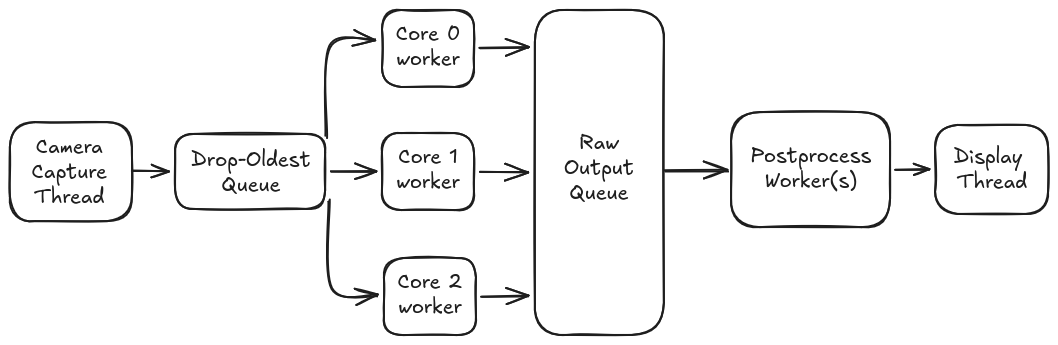
For the tri-model script, it's the same idea but with a shared task queue across all models and per-model postprocess paths:
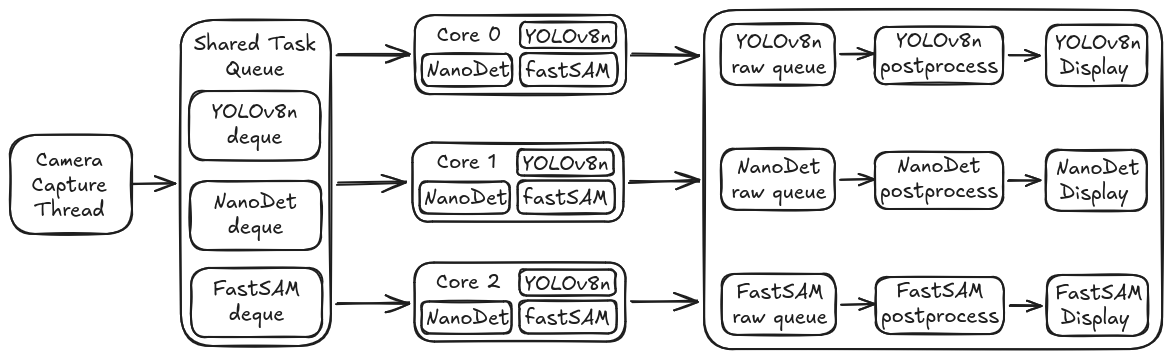
Every queue in this pipeline is bounded and drop-oldest. That's a deliberate choice. In real-time video, a stale frame is worse than a dropped frame. If the system can't keep up, you want it to skip to the latest frame rather than process a backlog of 2-second-old images.
Have questions? Hit us up on Discord. If you build something cool with this, tell us. If you break something spectacularly, tell us too. We'd definitely love to hear it.
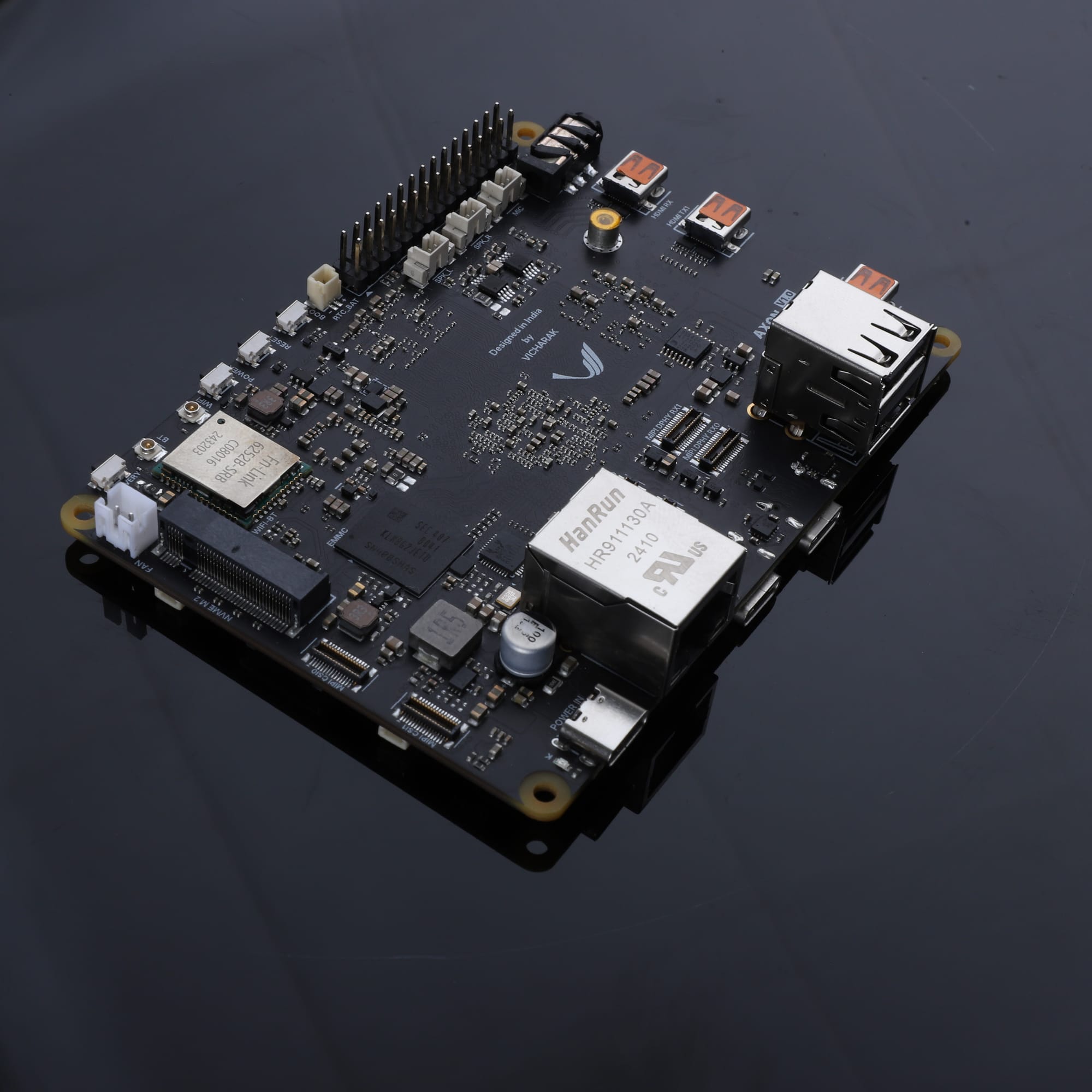
Axon - AI Edge Single Board Computer.
Your Gateway to Intelligent Computing.
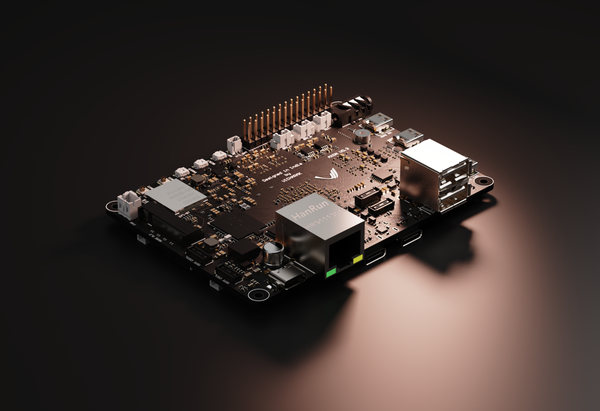
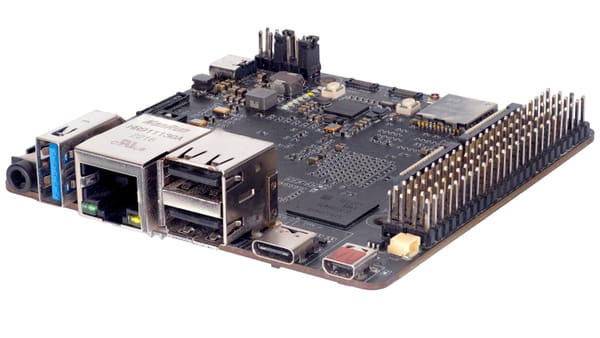
Experience unparalleled AI performance with Axon’s 8-core CPU, GPU, and 6 TOPS NPU.
 Riddhi Raj Ghosh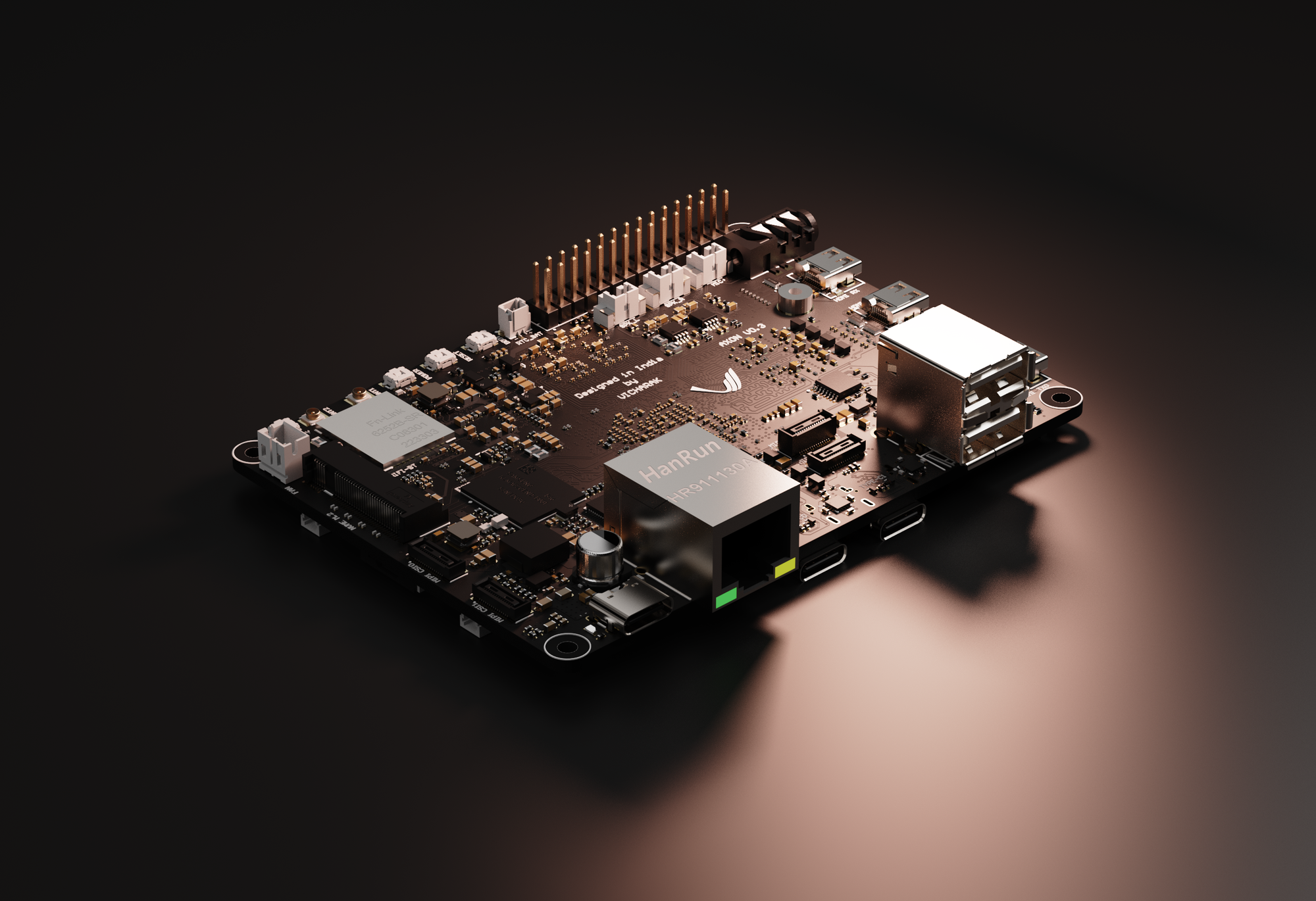
 vicharak-in
 RangiLyu
 CASIA-LMC-Lab

 Ultralytics